

Du verwendest einen veralteten Browser. Es ist möglich, dass diese oder andere Websites nicht korrekt angezeigt werden.
Du solltest ein Upgrade durchführen oder einen alternativen Browser verwenden.
Du solltest ein Upgrade durchführen oder einen alternativen Browser verwenden.
Akai MPC OS 2.15.1.1 (Stand: 11.09.2024)
- Ersteller Lefty de Vito
- Erstellt am

Sonamu
|||||||||||
Funktioniert wo und wie?Update: Stems funktioniert jetzt bei mir.
Direkt mal ne 3 minuten mp3 reingeladen und ich muss sagen die qualität gefällt mir für ne mp3.
Da kann virtual dj oder der koala sampler echt einpacken
Damit kann man arbeiten
Standalone auch???
Bin wuschig


Comandante
|||
Nein, noch nicht Standalone, das dauert noch, wie mehrfach deutlich kommuniziert, auch von AKAI Pro.
Zugegeben, die offiziellen Videos sind teilweise etwas verwirrend, weil nicht mal ein Rechner zu sehen ist, oder Kabel...
Also erstmal SW only, aber immerhin kann man die erstellten STEMS locker auf die Standalone ziehen und dann damit weiter arbeiten.
Siehe auch:
Zugegeben, die offiziellen Videos sind teilweise etwas verwirrend, weil nicht mal ein Rechner zu sehen ist, oder Kabel...
Also erstmal SW only, aber immerhin kann man die erstellten STEMS locker auf die Standalone ziehen und dann damit weiter arbeiten.
Siehe auch:
Sonamu
|||||||||||
Nein, noch nicht Standalone, das dauert noch, wie mehrfach deutlich kommuniziert, auch von AKAI Pro.
Zugegeben, die offiziellen Videos sind teilweise etwas verwirrend, weil nicht mal ein Rechner zu sehen ist, oder Kabel...
Also erstmal SW only, aber immerhin kann man die erstellten STEMS locker auf die Standalone ziehen und dann damit weiter arbeiten.
Siehe auch:
Ne, danke.
Das ist nur zu zeit killing.
Comandante
|||
Sonamu
|||||||||||
Your Choice.
 na klar. Hab ne MPC um das dann am Rechner pfrimeln zu müssen.
Habe nichtmal die SW dafür installiert.
Aber mach mal und teile deine Ergebnisse im Stem Thread.
Interessant ist es auf jeden Fall!

Klangzaun
||||||||||

Lefty de Vito
Abbildung ähnlich
Titel des Threads angepasst und Links auf die aktuelle Version aktualisiert:
2.14.0.20* Updates für:
Mac
Windows
USB-Update (*mpc-2.14.0.20-update.img)
User Guide (inkl. Updates bis 2.14.0.20)
Release-Notes (aktuell bis 2.14.0.20).
2.14.0.20* Updates für:
Mac
Windows
USB-Update (*mpc-2.14.0.20-update.img)
User Guide (inkl. Updates bis 2.14.0.20)
Release-Notes (aktuell bis 2.14.0.20).
KarlMarcsnicht
.....
Glaube langsamer.bei nem 3 minuten track dauerts auch 3 minuten bis er durch is.
Kommt aber auch irgendwie auf das material an.
Hab gerade nen track hochgeladen mit lang gehaltenen tönen auf den vokals und na violine und das ergebnis waren 2 tracks mit jeweils nem misch masch aus beidem xD
Jo wird gemacht
Kommt aber auch irgendwie auf das material an.
Hab gerade nen track hochgeladen mit lang gehaltenen tönen auf den vokals und na violine und das ergebnis waren 2 tracks mit jeweils nem misch masch aus beidem xD
Aber mach mal und teile deine Ergebnisse im Stem Thread.
Interessant ist es auf jeden Fall
Jo wird gemacht

caro
Schrauber

laux
_laux
laux
_laux
KarlMarcsnicht
.....
So habe auf 2.14 aktuallisiert, STEMS gekauft und aktiviert, nur wo finde ich denn STEMS, unter TOOLS habe ich nichts gefunden!
Wenn du geupdatet hast unter preferences/activate Plugins müsste ganz oben stehen
caro
Schrauber
Das war nicht die FRAGE!Wenn du geupdatet hast unter preferences/activate Plugins müsste ganz oben stehen
So habe auf 2.14 aktuallisiert, STEMS gekauft und aktiviert, nur wo finde ich denn STEMS, unter TOOLS habe ich nichts gefunden!
KarlMarcsnicht
.....
Das war nicht die FRAGE!
Dann dass - Ausruf?Im Sampler, da wo auch Normalisieren etc. ist.
Sonamu
|||||||||||
Pre-April, April!Geht ja gut los. Bei mir stützt direkt der Rechner ab und macht nen Neustart, wenn ich das Processing starte. Habs mit zwei verschiedenen Samples versucht und jedesmal das gleiche :/
Muss ich mal nach Ostern schauen, was da schief läuft.
laux
_laux
Muss wohl so gewesen sein. Hab das Update noch mal drübergebügelt, jetzt läufts.Pre-April, April!
Hab mal die letzten Tage ein wenig rumprobiert und finde es im Ansatz schon recht beeindruckend, was man alles extraiert bekommt. Vor allem Vokals von alten Sachen 1930-1970 funktionieren richtig gut.
Bei neueren Stücken ist aber die Komprimierung zu stark und der Gesang geht zwischen zu vielen Instrumenten einfach unter.

binary_idol
|||||

oldwired
Materialist
Schlecht, da AKAI hier kein RTP-MIDI machen sondern ihr eigenes Ding drehen. Eventuell geht da was, wenn man die Kiste rootet, aber das wollte ich bis jetzt nicht.Wie sind eure Erfahrungen mit MIDI über LAN/WLAN bei der MPC Live II? Ich habe gar nicht gewusst, daß das geht, bis ich gestern zufällig in Reaper die MPC als WLAN MIDI Device in den Einstellungen gesehen habe. Hat auch funktioniert, die MPC als Soundmodul anzusteuern.
binary_idol
|||||
Und was waren die Probleme, Clock Sync als Slave oder Latency?Schlecht, da AKAI hier kein RTP-MIDI machen sondern ihr eigenes Ding drehen. Eventuell geht da was, wenn man die Kiste rootet, aber das wollte ich bis jetzt nicht.
oldwired
Materialist
Oh, da habe ich mich missverständlich ausgedrückt. Ich finde es einfach an sich schlecht, da es so nicht out-of-the-box mit meinem iConnectivity und meinem Mac zusammenarbeitet. Deshalb nutze ich es nicht.Und was waren die Probleme, Clock Sync als Slave oder Latency?
KarlMarcsnicht
.....

Rookie2
|||
Wiedern neues Standallone Plug- In am Start. "The Ringer" ... oder so
Aber glaub das kam ohne update.
Hab mir nur mal ein video angeschaut . Damit kann man übelst hässlich rumtrööten?Oo
Hat das schon wer getestet?^^
Meinst Du Ring the Alarm?
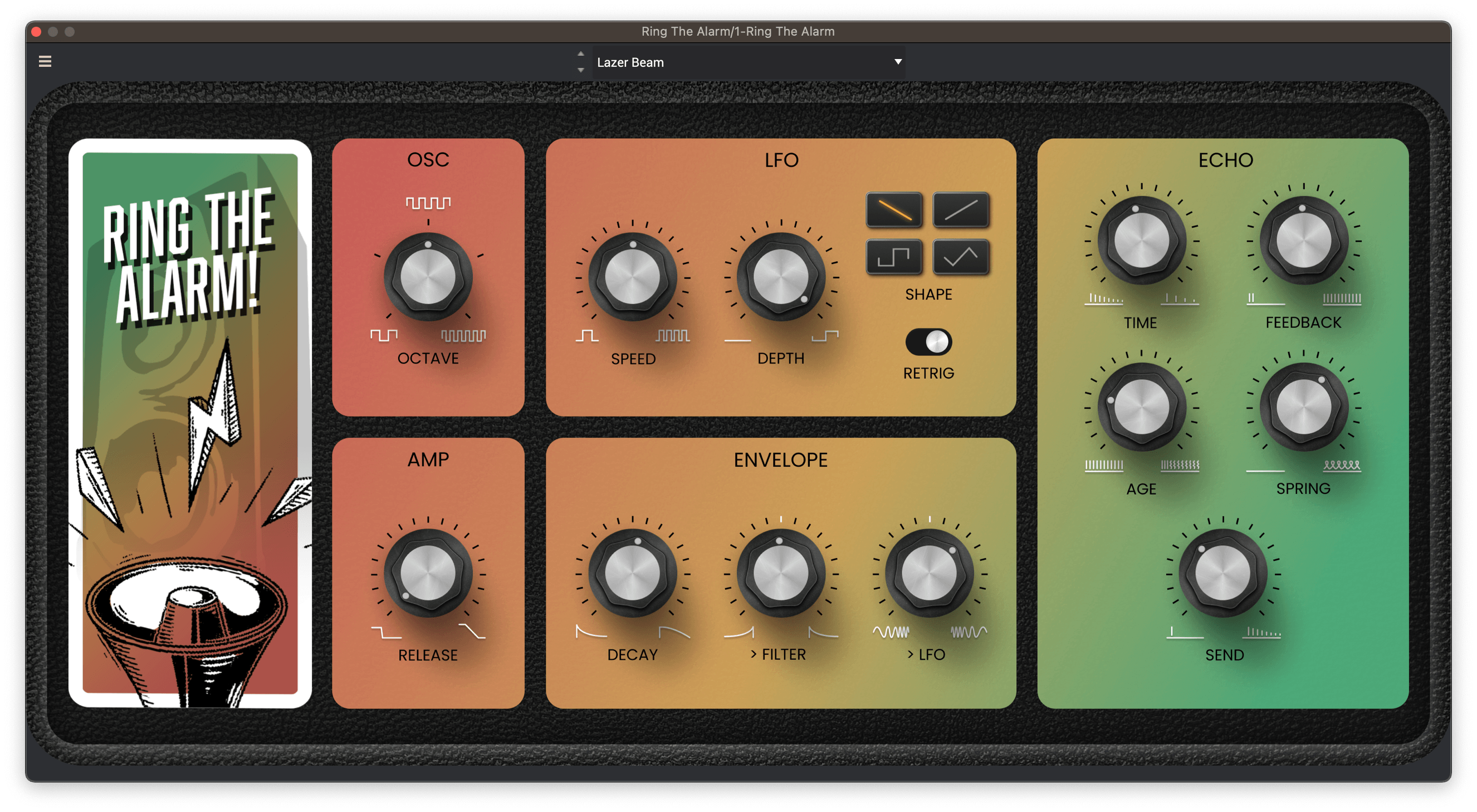
Ring The Alarm | AIR | Capture That Sound System Vibe
'Ring The Alarm' offers you an intuitive yet powerful plugin to infuse your tracks with sirens, synth rises, and mashed-up effects.
 www.airmusictech.com
Habe mal kurz mit der Demo rumgespielt:
Das Dub-Delay gefällt mir gut, der Synth ist stark eingeschränkt und
monophon. Das war für mich der Dealbreaker…
Comandante
|||
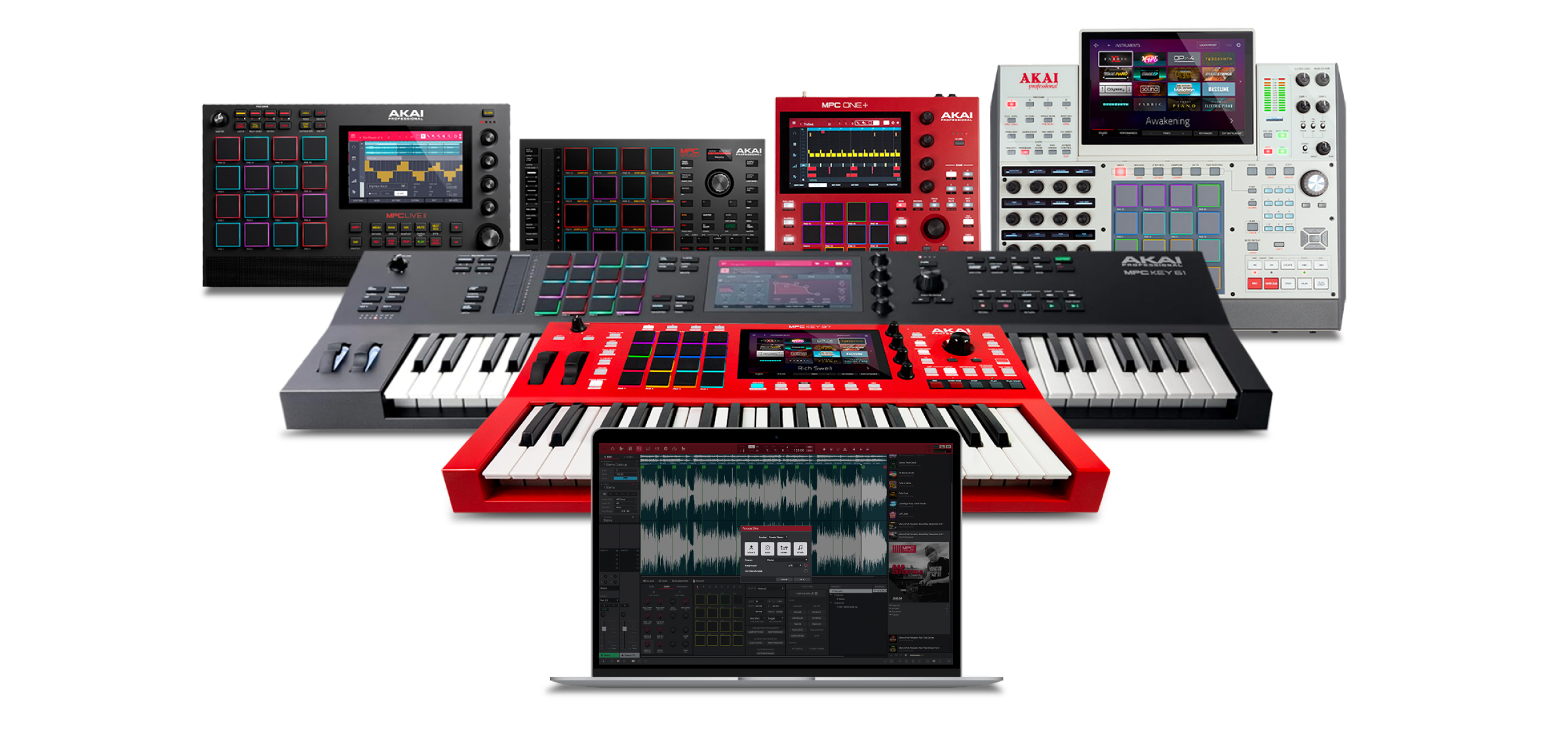
MPC OS 2.15.0 & MPC STEMS Standalone seit heute. 
 www.akaipro.com
www.akaipro.com
www.akaipro.com
MPC Stems Separation | Akai Pro
Akai MPC Stems Separation now available for MPC Desktop and controller mode for $9.99
www.akaipro.com
MPC Software & Firmware Downloads
AKAI Professional entered the electronic music industry in 1984 with one purpose - to give artists the tools they need to express and explore new musical possibilities.
www.akaipro.com

SirAdrianFish
TheSilentVisitor
Das Update hat gleich beim ersten Durchgang funktioniert, allerdings musste ich dann im Anschluss wieder alle PlugIns aktivieren. Übrigens das erste Mal.
Hier noch die Release-Notes: https://www.akaipro.com/mpc-release-notes
Hier noch die Release-Notes: https://www.akaipro.com/mpc-release-notes
MPC 2.15 Firmware Update
Compatibility
This release is for MPC Key 37, MPC One+, MPC X Special Edition, MPC Key 61, MPC One, MPC Live II, MPC X and MPC Live hardware.
Downloading the Firmware Update
To download the 2.15 Firmware Update, use the online updater or navigate to MPC Software & Firmware Downloads and select the appropriate download.
For instructions on installing these updates, please visit our support page here.
New features
Stem Seperation
The latest update in MPC introduces powerful Stem Separation capability on standalone.
Stability and reliability
- Stem Tracks:
- Split any track into distinct stems: vocals, bass, drums, or other instrumental elements.
- Isolate vocals for acapellas, discover new drum breaks with the Drum stem, or use the ‘Other’ stem for crafting melodic instrumental content for creative manipulation.
- Purchasing and Activating Stem Separation:
- Visit www.akaipro.com/stems to purchase the MPC Stem Separation feature. Important: If you have already purchased Stems for Desktop you do not need to purchase again for Standalone. Your existing licence is valid for 3 devices.
- After acquiring your Stem Separation license, follow these steps to activate it on your MPC standalone device:
- Access Preferences:
- From the MODE MENU, go to Preferences.
- Activate and Download:
- In the Activation tab, find the MPC Stems entry.
- Activate and then download the Stem Separation feature.
- Performance Considerations:
- RAM Usage:
- The stem separation process requires approximately 200MB of RAM of free memory, plus additional memory to create the stemmed samples.
- Efficiency and Quality:
- On-device stems are created using the zPlane Stems Efficient algorithm, desktop MPC uses zPlane Stems Pro for highest quality.
- A missing project reload dialog following improper unit shutdown has been restored.
- Drum programs' Drum FX parameter changes are now saving correctly.
Zuletzt bearbeitet:
KarlMarcsnicht
.....
Sonamu
|||||||||||


Low3001
||
Sonamu
|||||||||||
Wo taucht die Disto auf?NIcer shize
Bei plugins activate waren da schon immer so viele effekte?
VOkaldistortion sieht so neu aus im standallone
Habe sie heruntergeladen und trial aktiviert.
Finde die aber nirgends!?!
Sollte doch bei Vocal auftauchen, oder?
Bin verwirrt
Sonamu
|||||||||||
Erster Versuch war schon mal ernüchternd. Mä.Ich hab gelesen, dass die Qualität im Standalone Modus nicht berauschend sein soll. Ich werde erstmal abwarten.
Ähnliche Themen

- Antworten
- 13
- Aufrufe
- 4K
T


News
-
 News Next-Generation MIDI Controller kommen - eine ganze Ladung
- Gestartet von Moogulator
- Antworten: 1
-
2026-01-18 Dortmund - Next Level Ausstellung - läuft noch.
- Gestartet von Moogulator
- Antworten: 2
-
-
News Konzertbericht - Assfalt + Tigerjunge - Düsseldorf, 5.12.2025
- Gestartet von Moogulator
- Antworten: 0
-
-
News Sounddesign und Auswahl - Studiomöbel und Aufstellung - 2 Themen im SequencerTalk 261 - live 20:30
- Gestartet von Moogulator
- Antworten: 1
-
News Waldorf Protein - Talk mit Rolf Wöhrmann über eine neue Synthesizer-Serie
- Gestartet von Moogulator
- Antworten: 0
App installieren
So wird die App in iOS installiert
Folge dem Video um zu sehen, wie unsere Website als Web-App auf dem Startbildschirm installiert werden kann.
Anmerkung: Diese Funktion ist in einigen Browsern möglicherweise nicht verfügbar.